TikTok Integration
Automatically sync TikTok Shop orders, products, inventory, tracking information, and returns between Cybership and TikTok Shop.
Setting Up the Integration
Prerequisites
Before connecting TikTok Shop, ensure you have:
- Admin access to your TikTok Shop in Seller Center
- A Cybership account with permission to manage integrations
- A Cybership team ready to own the connection
- Warehouse records in Cybership if you plan to sync inventory
Installing the Integration
-
Open ShipOS → Settings → Integrations (opens the Cybership dashboard in a new tab)
- Click Add Integration and select TikTok
-
Start the TikTok authorization
- Click Connect TikTok Shop
- You will be redirected to TikTok Seller Center
-
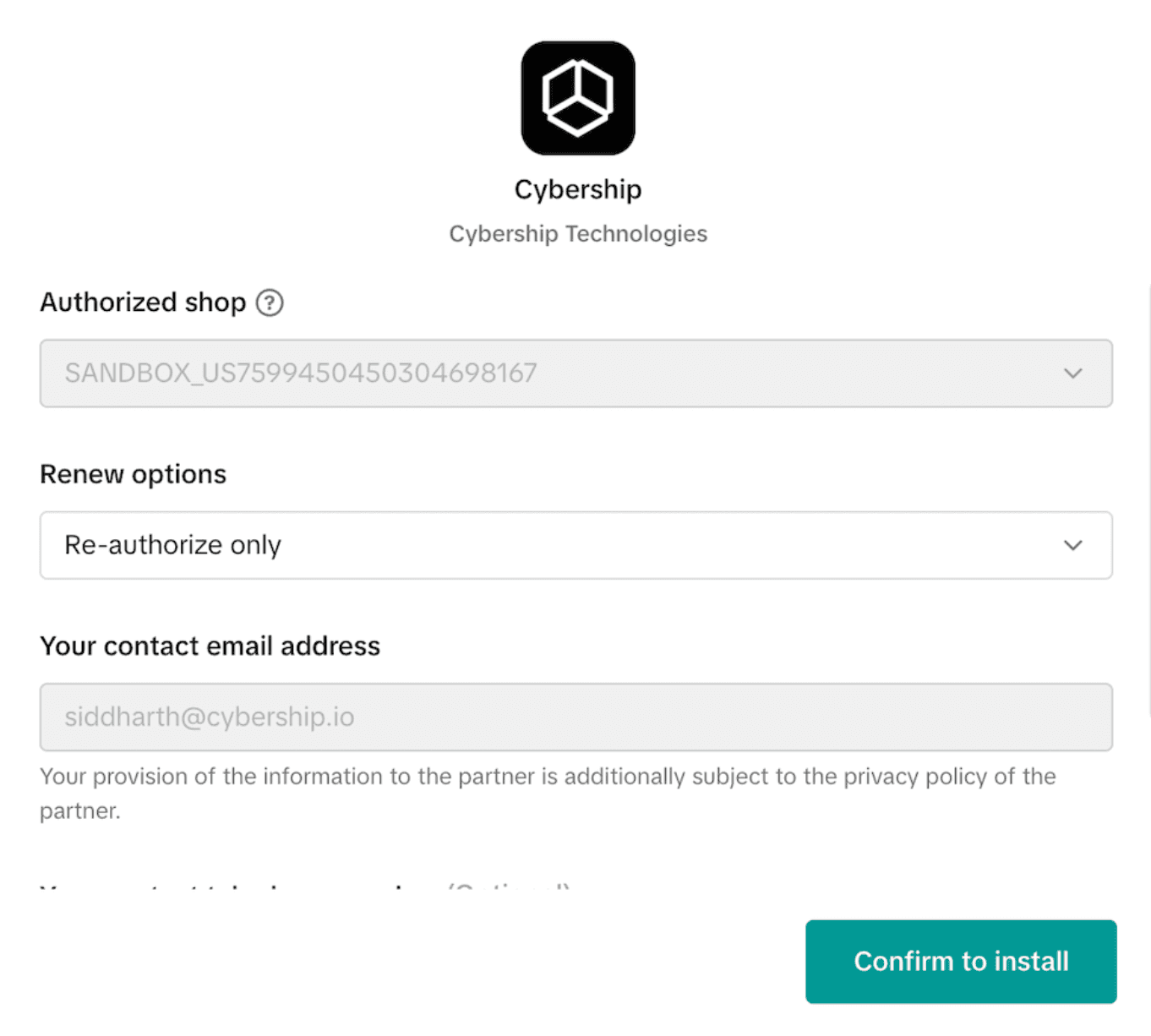
Review the TikTok renewal step
- If the TikTok shop was previously connected, TikTok may first show a Renew screen
- Confirm the authorized shop and continue with Confirm to install
- If TikTok shows an authorization duration selector, choose the maximum available period
- If TikTok offers Unlimited, select Unlimited
- If TikTok only offers fixed durations, choose the longest available option
-
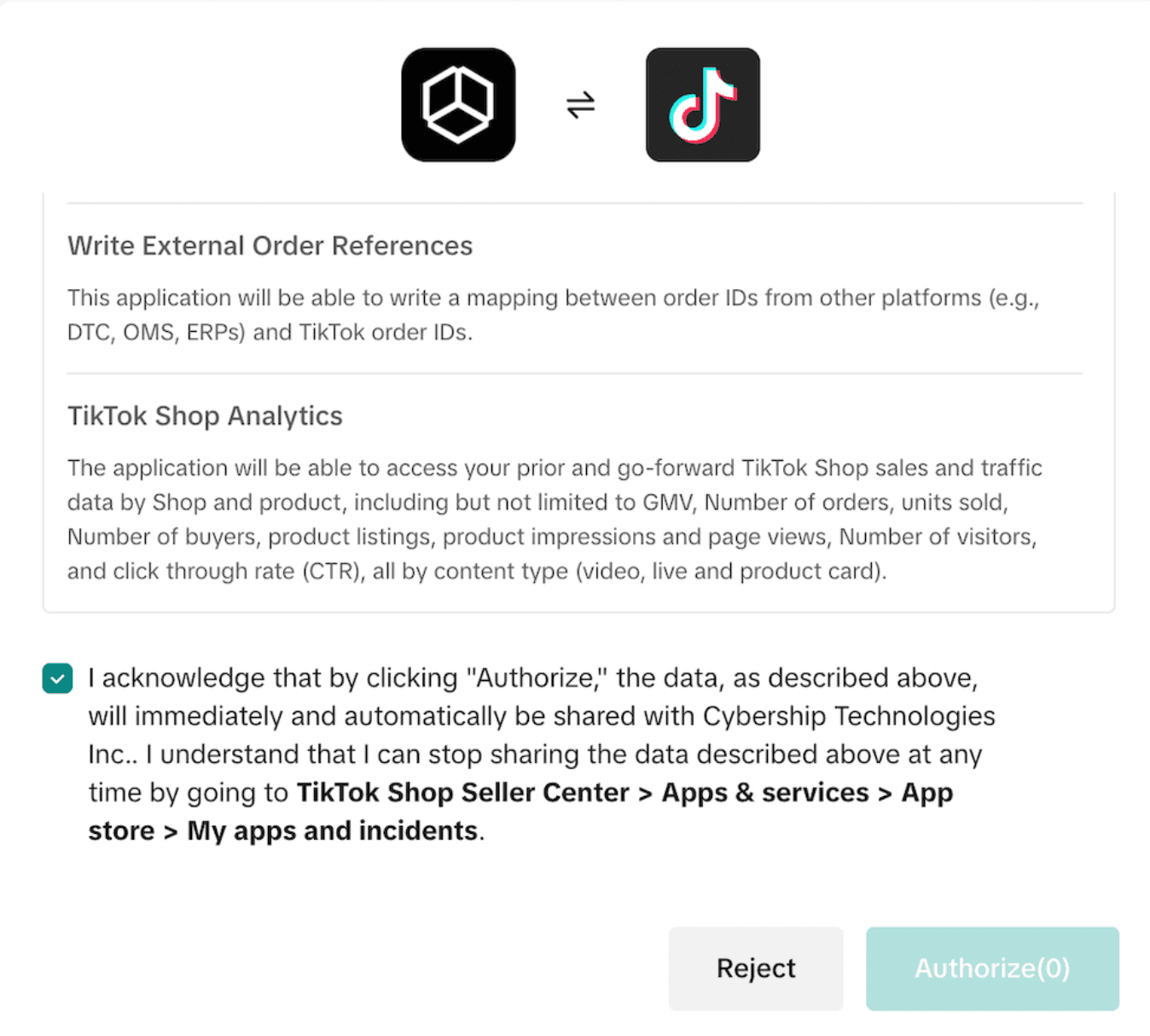
Authorize Cybership
- Review the requested permissions
- Check the acknowledgment box
- Click Authorize
-
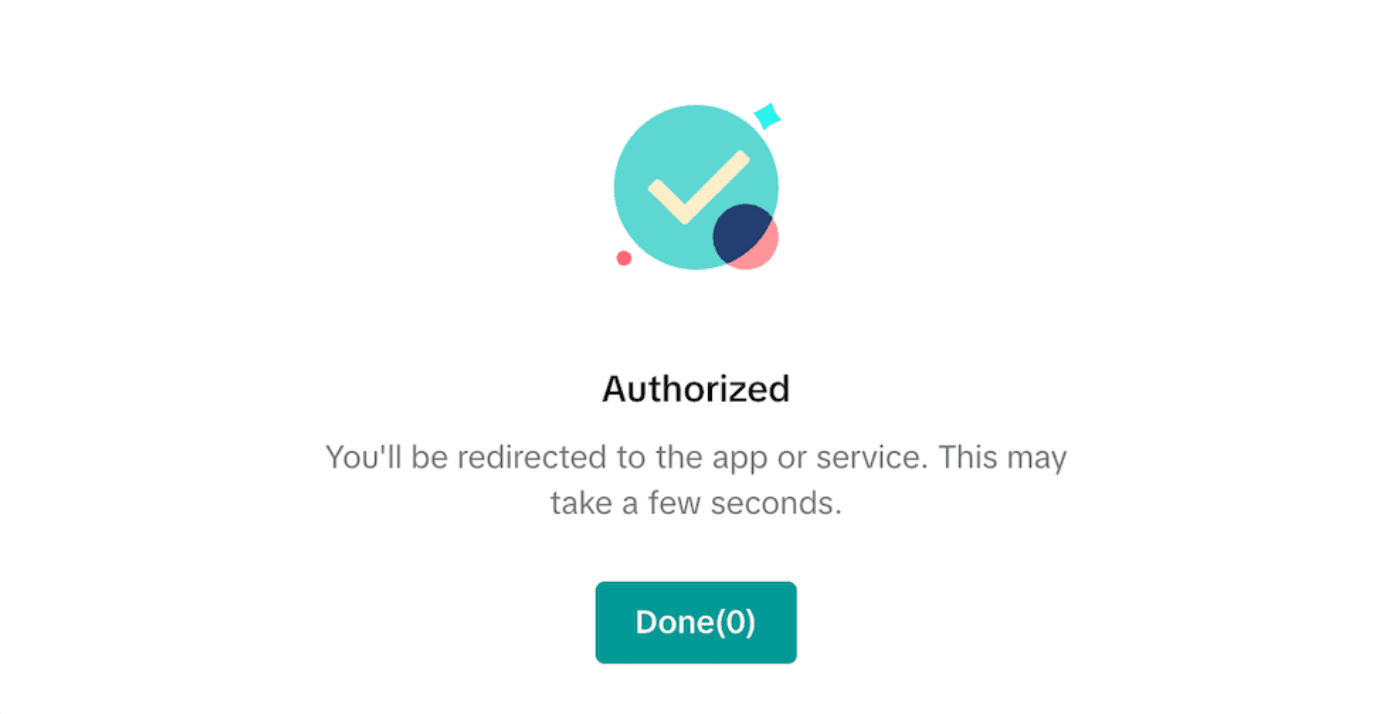
Wait for confirmation
- TikTok will show a final confirmation screen after authorization
- Wait for the redirect back to Cybership
-
Complete the connection
- TikTok will redirect you back to Cybership
- The shop connection will continue automatically after the callback
- You will be redirected back to Cybership
If your TikTok account has access to more than one TikTok Shop, Cybership will attempt to connect all shops returned by TikTok during the same authorization flow. If any returned shop is already connected to another Cybership team, the authorization is stopped and an error is shown.
TikTok controls the broader seller authorization duration. Cybership automatically refreshes TikTok API access tokens, but Cybership cannot automatically renew the broader seller authorization period when TikTok requires merchant action. To reduce how often you need to renew, always choose the maximum authorization period TikTok offers during setup.
When TikTok reports approaching authorization expiry, Cybership records the date and notifies members with the matching notification permission and preference enabled. Renew seller authorization in TikTok when required.
How Synchronization Works
Order Synchronization
Orders sync from TikTok Shop into Cybership automatically.
Initial Order Import
During the first sync:
- If you selected an order sync start date, Cybership imports orders created on or after that date
- If no date is selected, Cybership imports orders from the last 30 days by default
Ongoing Order Updates
After the initial import, Cybership keeps TikTok orders updated using webhooks and incremental sync logic.
Events that trigger order refreshes include:
- Order status changes
- Recipient address updates
- Package updates
- Cancellation updates
- Return status changes
Order Data Synced
The TikTok integration syncs key order information including:
- Customer name, phone, and shipping address
- Order line items and quantities
- TikTok shipping mode and shipping metadata
- Tracking-related metadata from TikTok
- Fulfillment order structure used inside Cybership
Cybership manages fulfillment-order grouping locally. TikTok package groups are not continuously kept in sync during every local split or regrouping step. The package relationship is reconciled when fulfillment is actually created.
Product Synchronization
Products sync from TikTok Shop into Cybership so orders can link cleanly to your catalog.
Product Data Synced
- Product title and description
- SKU information
- Variant information
- Product images
- Weight and package-related data
- Barcode data when available
- Product category-derived type information
Product Sync Behavior
- Cybership syncs active TikTok products
- Product updates are captured through webhook activity and product sync jobs
- Additional product detail is fetched when TikTok's search response does not include the full data needed
Inventory Synchronization
Inventory sync is supported for TikTok Shop, but it depends on warehouse mapping.
How It Works
- Warehouse Mapping: Each Cybership warehouse must be mapped to a TikTok warehouse
- Per-Warehouse Sync: Cybership pushes inventory quantities to TikTok by mapped warehouse
- Live Updates: Inventory changes in Cybership can be pushed back to TikTok when inventory sync is enabled
Important Limitations
- At least one warehouse mapping is required before inventory can sync
- If only some warehouses are mapped, only stock from the mapped warehouses is sent to TikTok
- Unmapped warehouse inventory is excluded from TikTok updates
Return Synchronization
TikTok returns are synced into Cybership so your team can manage them in the Returns workflow.
How Return Sync Works
- TikTok return status-change webhooks trigger a fresh return sync
- Cybership fetches the latest return state from TikTok
- If the return does not exist locally, Cybership creates it
- If the return already exists, Cybership updates the existing record and metadata
This makes the return sync flow idempotent and safe for repeated webhook deliveries.
Fulfillment and Tracking
Seller Shipping vs TikTok Shipping
TikTok orders can follow two different fulfillment patterns:
Seller Shipping
Use this when you buy shipping outside of TikTok and fulfill with your own carrier workflow.
- Fulfill the order in Cybership
- Add tracking through the shipping label or fulfillment flow
- Cybership marks the TikTok package as shipped and sends the tracking details to TikTok
TikTok Shipping
Use this when the order is configured for TikTok Shipping.
- Cybership can request eligible TikTok shipping services
- Users can buy TikTok Shipping labels directly in Cybership
- The purchased TikTok package and label data are stored back on the shipment in Cybership
TikTok Shipping Limitations
- TikTok Shipping labels cannot currently be voided from Cybership
- Scan forms are not supported for TikTok Shipping
Warehouse Mapping
Warehouse mapping controls how Cybership inventory is represented inside TikTok Shop.
Mapping Behavior
- Cybership attempts to auto-map warehouses immediately after connection
- Auto-mapping only applies when matching TikTok and Cybership warehouse candidates can be found
- You can review and adjust mappings later if the automatic result is incomplete
Best Practices
- Confirm every fulfillment warehouse used for TikTok orders has a mapping
- Re-check mappings when adding new warehouses in either system
- Validate mappings before enabling live inventory sync for a production store
Troubleshooting
Common Issues
Orders are not appearing
- Confirm the shop connected successfully
- Check whether an order sync start date is filtering out older orders
- Verify the TikTok shop is still authorized
- If TikTok seller authorization expired, renew it inside TikTok Seller Center and reconnect if needed
Inventory is not updating
- Review your TikTok warehouse mappings
- Confirm inventory sync is enabled for the shop
- Check whether the affected stock exists only in unmapped warehouses
Tracking is not reaching TikTok
- Confirm the order is fulfilled through the correct shipping flow
- For Seller Shipping, make sure a tracking number is present
- For TikTok Shipping, confirm the package was created with a supported TikTok shipping service
Getting Help
If you run into issues not covered here, contact Cybership support with:
- Your TikTok shop name
- The affected Cybership team
- The order, return, or product IDs involved
- Screenshots or error messages
- Approximate time the issue occurred